Templates
Open it: Templates · under Agents in the console menu.
A template is the code of an agent: a flow, in CNCF Serverless Workflow YAML, that says how each message is handled. An agent is a template plus its own settings. Think of the template as the code and the agent as the product: many agents can run one template, each with its own instructions, model, tools and memory.
Base templates
Section titled “Base templates”A3T comes with three. They are read-only; copy one to change it.
| Template | Project | What it is for |
|---|---|---|
tmpl_a3t_agent | a3t | The chat agent: reads its memory, calls its model, uses its tools, remembers the turn. Most agents use it |
tmpl_a3t_service | a3t | A3T’s own service agents, each serving a set of A3T’s flows as tools |
tmpl_system_agent_engine | system | The core agent every template above runs on. Not for direct use |
A template’s tabs
Section titled “A template’s tabs”| Tab | What it shows |
|---|---|
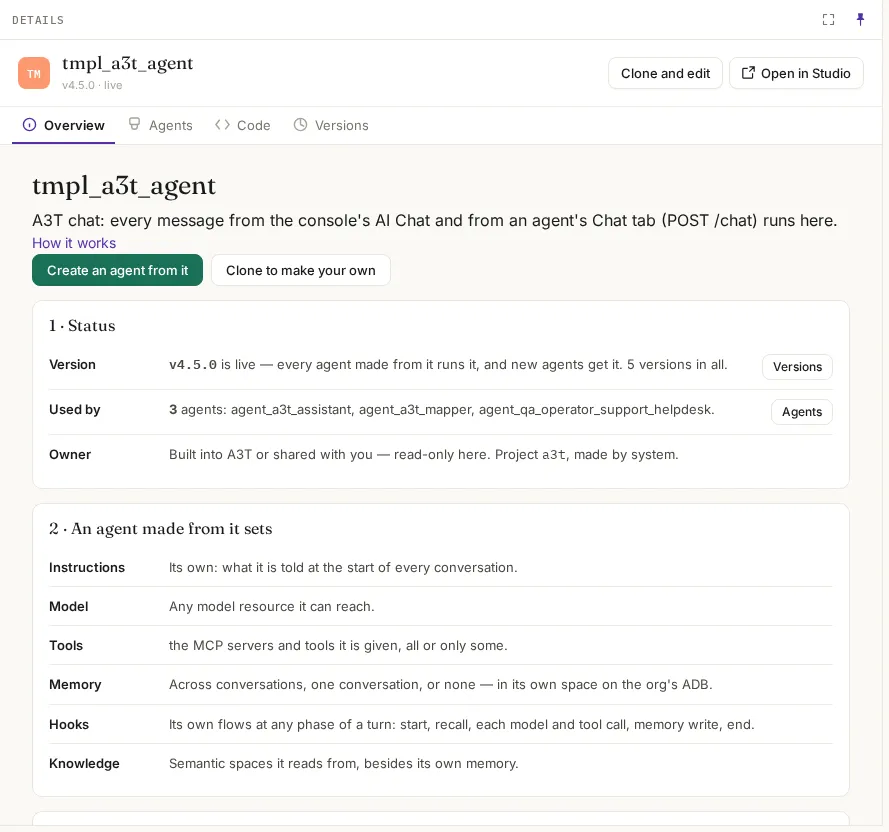
| Overview | What it is for; Status (live version, how many agents use it, where it was copied from, owner); An agent made from it sets (what each agent decides for itself); What it runs and reaches. Create an agent from it starts the New agent form with this template chosen |
| Agents | The agents built from it, with their project and status |
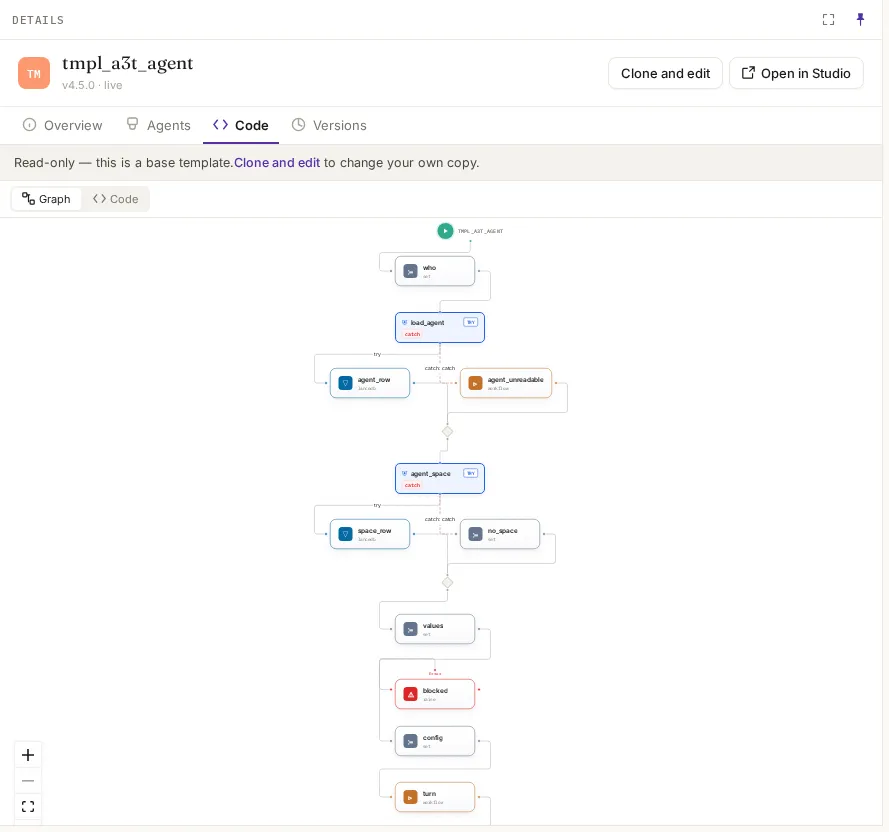
| Code | Its flow, as a graph and as YAML. Base templates are read-only here |
| Versions | Every version; the live one is what its agents run and what new agents get. Also the copies made of it |
| Settings | Your own templates only: name, description, delete |
What an agent made from it sets for itself
Section titled “What an agent made from it sets for itself”| Setting | What each agent chooses |
|---|---|
| Instructions | Its own: what it is told at the start of every conversation |
| Model | Any model resource it can reach |
| Tools | The MCP servers and tools it is given, all or only some |
| Memory | Across conversations, one conversation, or none, in its own memory space |
| Hooks | Its own flows at any phase of a turn |
| Knowledge | Semantic spaces it reads from, besides its own memory |
Versions
Section titled “Versions”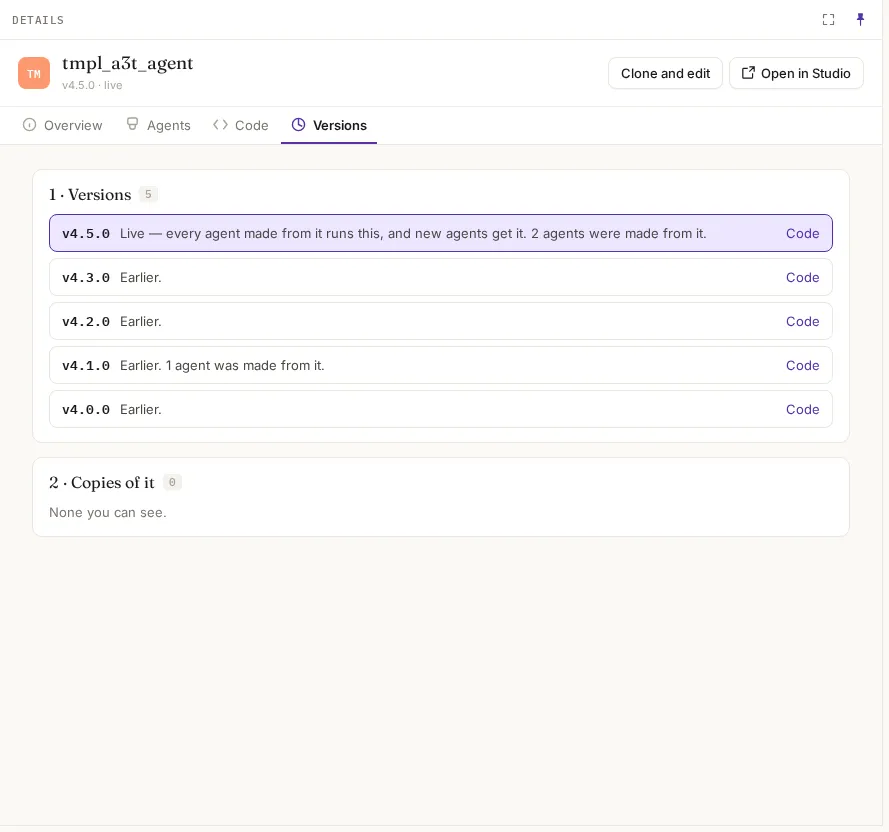
A version is fixed once released: a change is the next version. The live version is what every agent made from it runs, and what new agents get. Agents made from an earlier version are listed against it.
Make your own
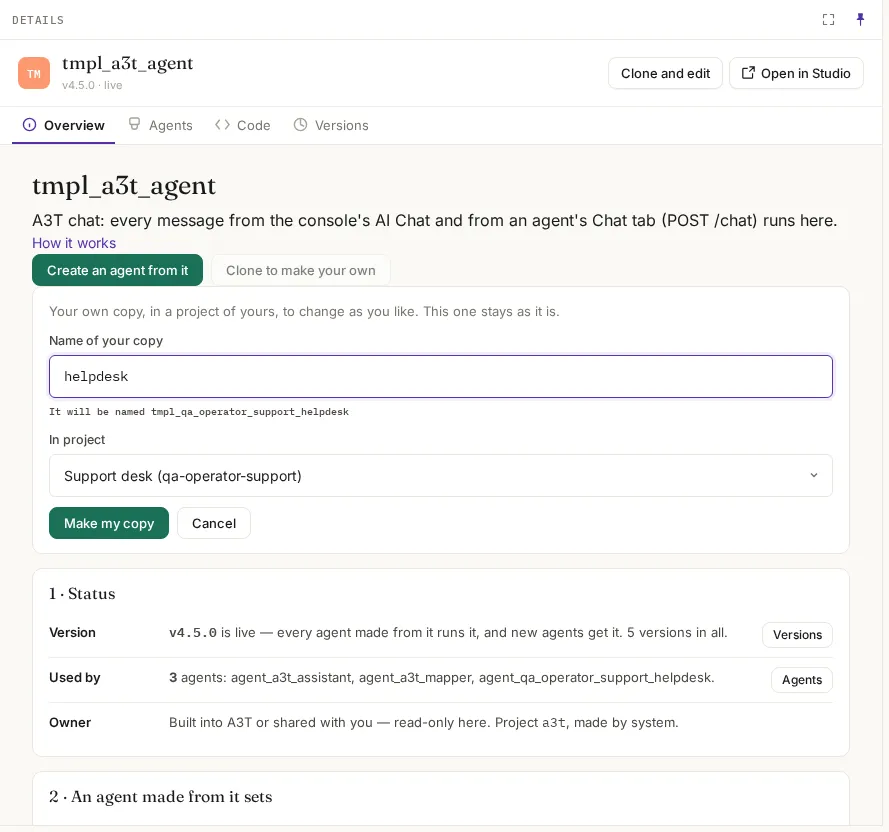
Section titled “Make your own”On a base template, click Clone to make your own (or Clone and edit in the header).
| Field | What it means | What to put |
|---|---|---|
| Name of your copy | What it does. A3T names it tmpl_<project>_<name> and shows the full name under the field | Lowercase letters, digits, dashes or underscores, e.g. helpdesk |
| Project | Where the copy goes. Only projects where you can author are listed | Your project |
Make my copy creates it and opens it:
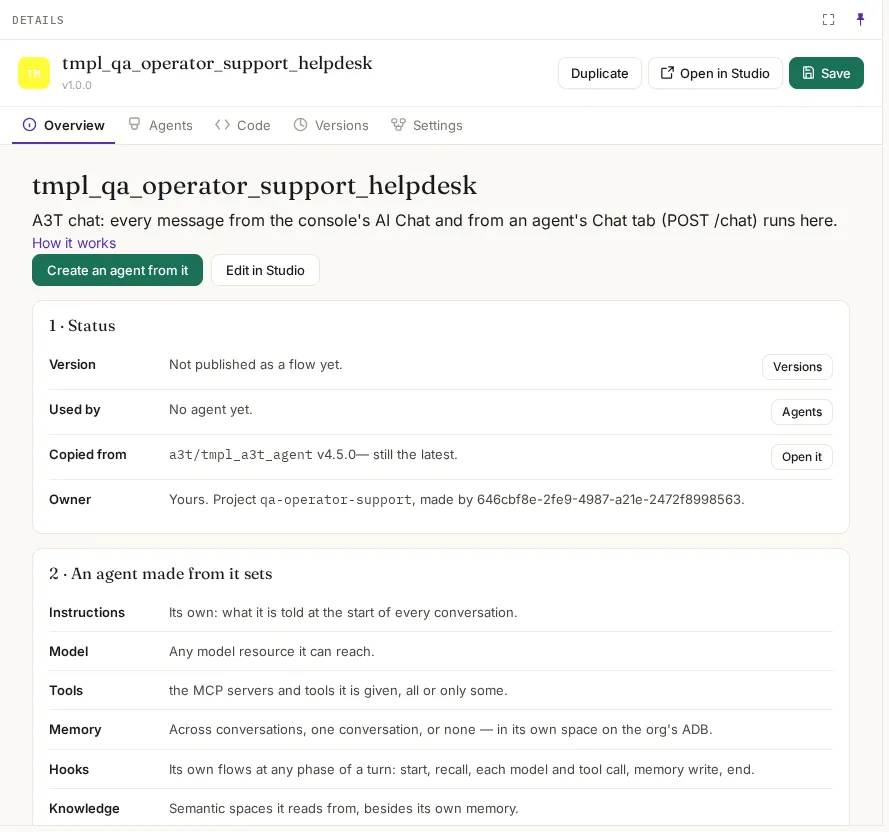
| On the copy | Meaning |
|---|---|
| Version: Not published as a flow yet | The copy’s code is saved as a flow the first time you save it in Studio. Until then it has no version of its own |
| Copied from | The template and version it came from, and whether that is still the latest |
| Owner | Your project, and who made it |
Open Edit in Studio to change its code; see Studio. New template in Items starts one from an empty agent flow instead, with its name made the same way.
Naming
Section titled “Naming”| What | Name | Example |
|---|---|---|
| A template | tmpl_<project>_<what it does> | tmpl_qa_operator_support_helpdesk |
| An agent | agent_<project>_<what it does> | agent_qa_operator_support_helpdesk |
| A flow | flow_<project>_<what it does> | flow_acme_support_refund |
<project> is the project’s namespace with dashes made underscores.
Deleting
Section titled “Deleting”A template can’t be deleted while agents are built from it: the refusal names them. Delete or move those agents first. Base templates can’t be deleted.
Example
Section titled “Example”Acme’s support team wants every help-desk agent to redact card numbers before the model sees them:
- On
tmpl_a3t_agent, Clone to make your own intoacme-support, namedhelpdesk: it becomestmpl_acme_support_helpdesk. - Edit in Studio: add a
before_llmhook step that redacts card numbers, and save. The template now has its first version. - Make the team’s agents from it with Create an agent from it. Each keeps its own instructions and keys; all of them redact.
- Later changes to the template are new versions. Its agents run the live one.