Runtimes
Open it: Runtimes · under Runtimes & runs in the console menu.
Runtimes shows what is running and where: each FlowR server (a host), the runtimes that take work, and the deployments on each, with their health and load.
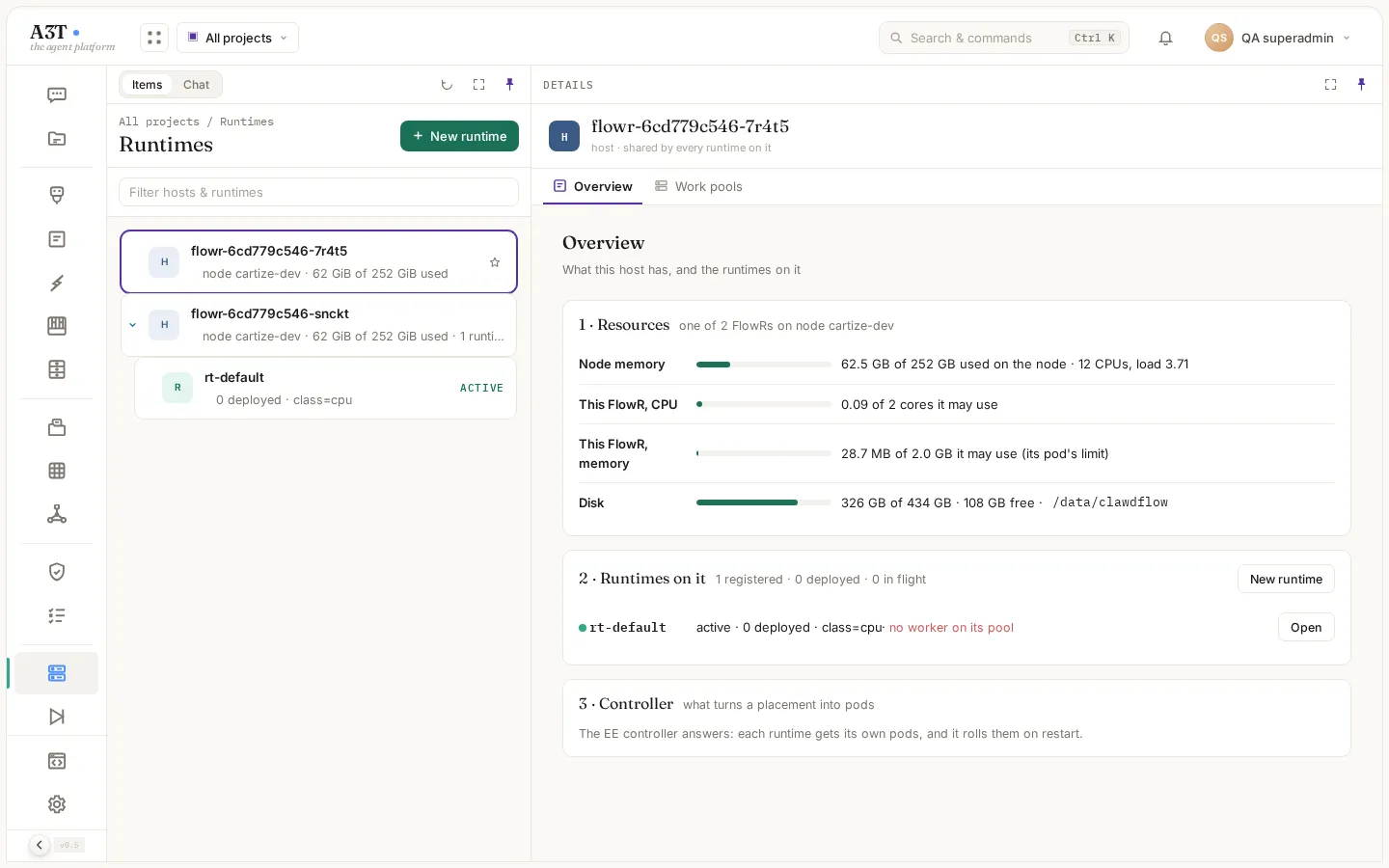
Items is a tree: hosts, then runtimes, then what is deployed on each.
Each copy of FlowR reports itself every 20 seconds; Items lists every one seen in the last minute.
| On a host | What it means |
|---|---|
| Node memory | Memory used on the machine it runs on, with its CPUs and load |
| This FlowR, CPU and memory | What this copy of FlowR uses, out of what it may use (its pod’s limits) |
| Disk | Its data disk |
| Runtimes on it | The runtimes, with how many deployments each has; no worker on its pool marks one that nothing is taking work for |
| Controller | Whether the EE controller answers: when it does, each deployed runtime gets its own pods |
Work pools lists the queues runs wait in until a worker claims them, with whether a worker is live and how many runs are queued.
Runtimes
Section titled “Runtimes”A runtime is a place deployed work runs: by default the shared runtime rt-default, or one made for a project, an organisation or a single agent. A runtime carries labels (such as class=cpu, tier=prod, a3t.io/org=acme) that canvases select it by; see Canvas.
| Control | What it does | Who |
|---|---|---|
| Pause | It takes no new work; callers get its paused response | A project’s writers for its own runtime; an organisation’s admins for theirs; SuperAdmin for shared ones |
| Resume | It takes work again | As above |
| Hibernate | Stops its pods until work arrives | As above |
| Terminate | Removes it. First shows what is deployed there and where each moves; confirm with its name | As above |
New runtime registers one: a name, a project, its labels.
Deployments
Section titled “Deployments”Each deployment on a runtime shows whether it is serving, its runs and failures. Its controls: Pause (with a reason, shown to callers), Resume, Restart, Undeploy.