Security
Open it: Security · under Security & audit in the console menu. For SuperAdmin and SecurityAdmin only; anyone else sees a note saying so.
Every call A3T makes on someone’s behalf (a tool, a model, a flow start, a deploy, a change to a resource) is checked at its choke point against Cedar policies, as the person it is for, with their role in the project the call touches. Anything not permitted is denied, and a forbid beats any permit. Security is where those policies are written, tested and read.
Items lists:
| Item | What it is |
|---|---|
| Identity | The sign-in provider and its users, platform-wide |
| A policy per project | <project>/<name>: rules that apply to that project’s calls only |
| baseline | The deny-by-default rules compiled into A3T. Read only; they apply everywhere, beneath every project policy |
How a decision is made
Section titled “How a decision is made”- The call’s principal is the person (or the agent acting for one), with their role in the project the call touches: write access makes them Admin there, run access Operator, read access Viewer. SuperAdmin and SecurityAdmin keep their platform roles.
- The baseline and the project’s own policies are evaluated together. Platform policies (in
a3t,systemordefault) apply to every project. - Nothing permits it, or a
forbidmatches: denied. The refusal names every policy that refused it, and, for a baseline rule, what access it needs. - The decision is written to the Decision log.
A refusal reads, for example:
Refused by policy qa-operator-support/no-flow-deletes: mcp:call on Tool 'delete_flow'.The baseline
Section titled “The baseline”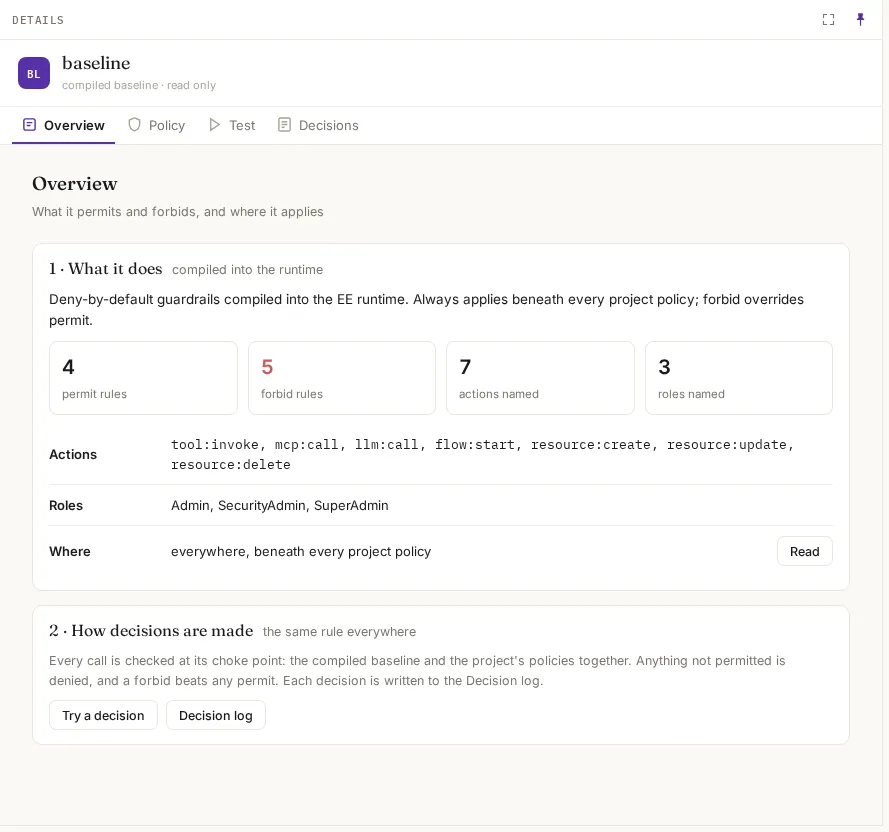
Each baseline rule has a name, baseline/<rule>, used in refusals and the log. The main ones:
| Rule | What it says |
|---|---|
baseline/humans-run-steps | People may invoke tools, call MCP tools and models, and start flows |
baseline/agents-run-for-a-user | Agents may too, but only when acting for a person |
baseline/destructive-tools | Tools that delete or change data need the Admin role (or SuperAdmin) in the project, as a person, not an agent |
baseline/data-writes | Writing or deleting data through a database step needs Admin, as a person |
baseline/flow-exposed-tools, baseline/flow-enabled-tools | A flow may only use the tools it declares |
baseline/policies-are-infosecs | Only SecurityAdmin and SuperAdmin may write Cedar policies |
baseline/authoring-needs-admin | Creating flows, agents or templates through tools needs Admin in the project |
baseline/prod-deploy-needs-admin, baseline/isolated-deploy-needs-admin | Production and isolated placement need Admin, as a person |
baseline/prod-operate-needs-admin | Pausing or stopping production needs Admin |
Policy shows its full Cedar text.
A project’s policy
Section titled “A project’s policy”Pick a project in the top bar, then New policy.
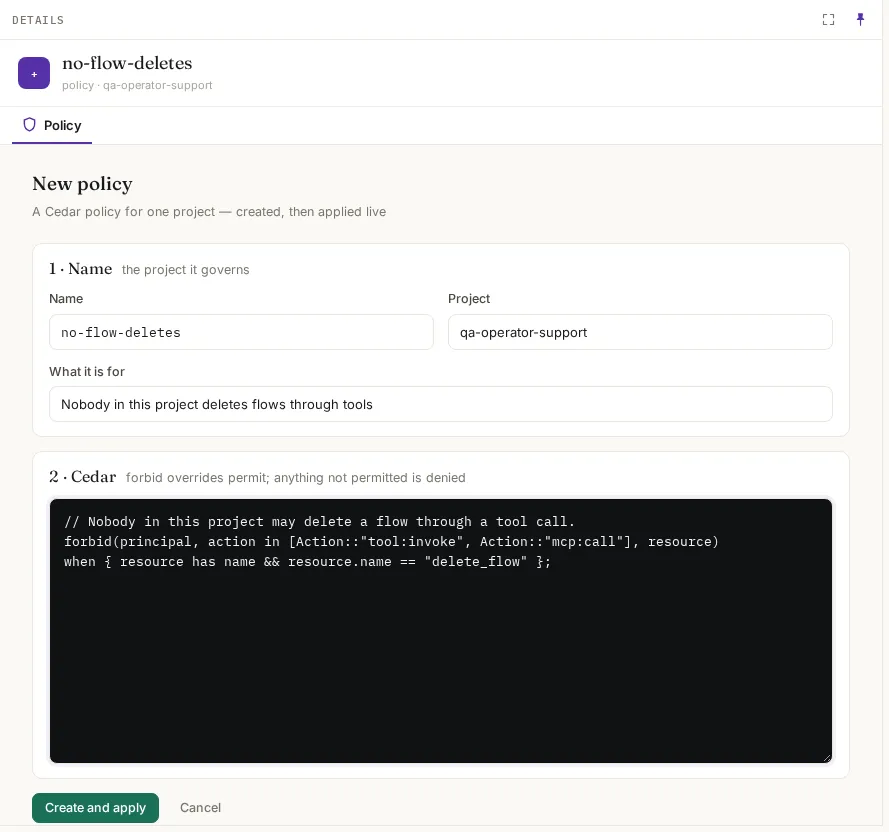
| Field | What it means | Example |
|---|---|---|
| Name | What it does | no-flow-deletes |
| Project | The project whose calls it governs. A policy in a3t, system or default governs every project | qa-operator-support |
| What it is for | One sentence, shown on its Overview | Nobody in this project deletes flows through tools |
| Cedar | The rules: permit and forbid statements | below |
// Nobody in this project may delete a flow through a tool call.forbid(principal, action in [Action::"tool:invoke", Action::"mcp:call"], resource)when { resource has name && resource.name == "delete_flow" };Create and apply compiles it first: a policy that doesn’t compile is refused with Cedar’s error, and nothing changes. Once saved it applies at once, on every copy of FlowR.
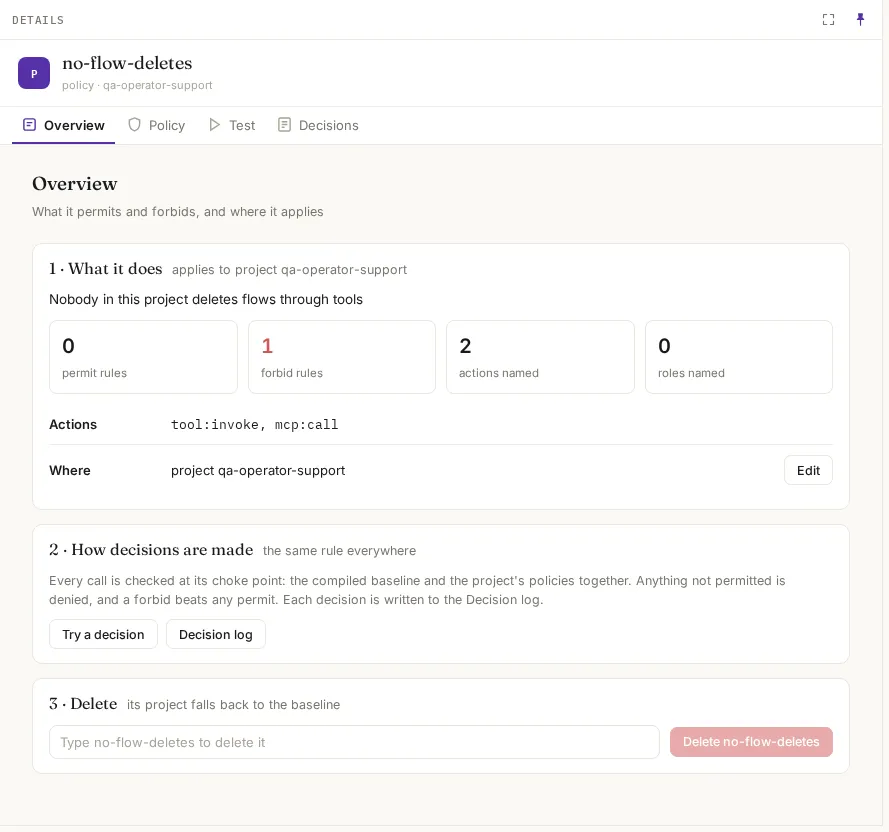
| Tab | What it shows |
|---|---|
| Overview | What it does, counts of permit and forbid rules, the actions and roles it names, where it applies; Delete (its project falls back to the baseline) |
| Policy | Its Cedar text, to edit. Save compiles it before saving and applies it at once |
| Test | A dry run (below) |
| Decisions | Recent decisions that name it |
Test: a dry run
Section titled “Test: a dry run”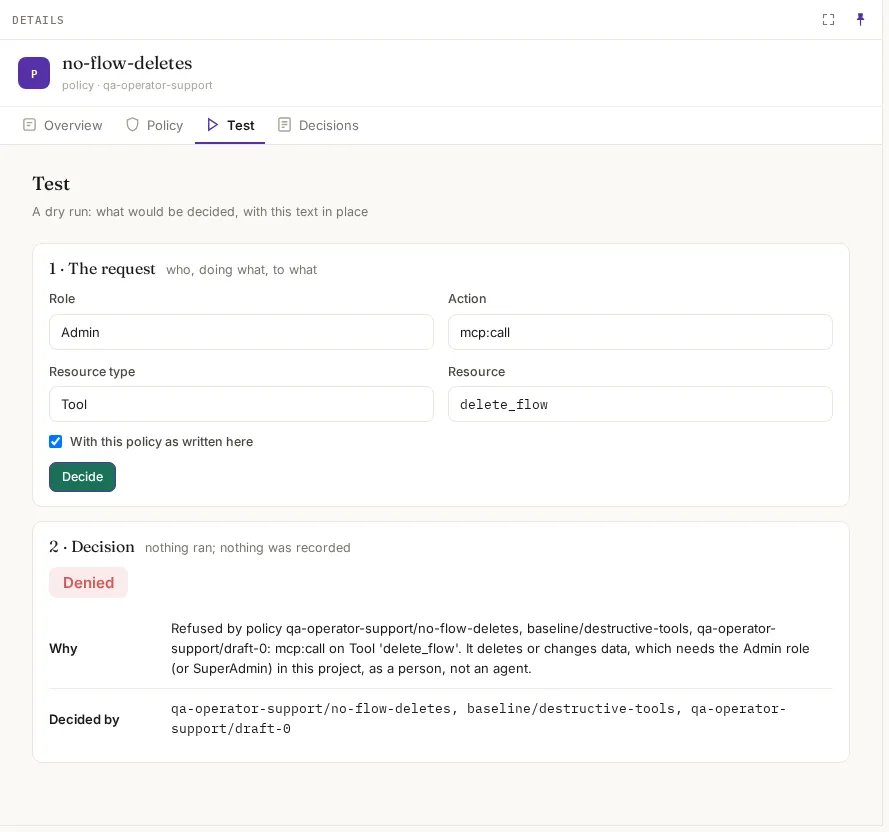
| Field | What it means |
|---|---|
| Role | Who asks: SuperAdmin, SecurityAdmin, Admin, Operator or Viewer |
| Action | mcp:call, tool:invoke, resource:create, resource:update, resource:delete, llm:call, flow:start, flow:deploy |
| Resource type and Resource | What it is done to: a Tool, Resource, Llm, Flow or Runtime, by name, e.g. delete_flow |
| With this policy as written here | Test the text in the editor before saving it |
Decide shows Allowed or Denied, Why, and Decided by: every policy that decided it. Nothing runs and nothing is recorded. In the example, delete_flow is denied by qa-operator-support/no-flow-deletes, and list_flows is allowed by baseline/humans-run-steps.
An agent’s own Audit › Policies has the same test, for that agent and its tools.
Identity
Section titled “Identity”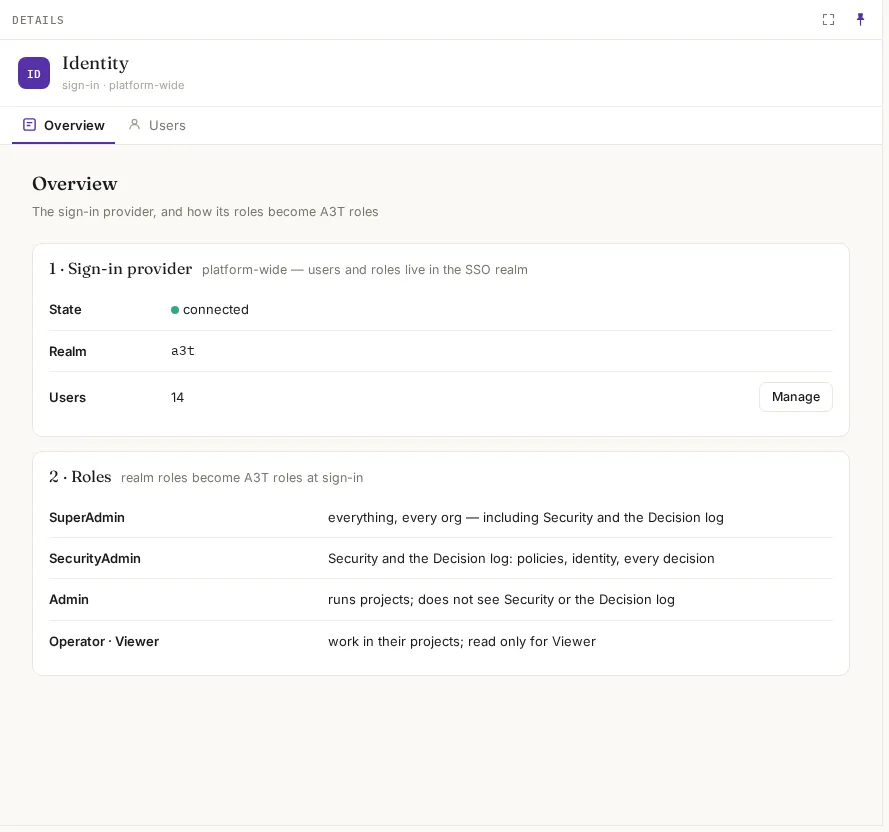
| Section | What it shows |
|---|---|
| Sign-in provider | Its state, realm and number of users; Manage opens the provider. Users lists them |
| Roles | How the provider’s realm roles become A3T roles at sign-in |
| A3T role | What it may do |
|---|---|
| SuperAdmin | Everything, in every organisation, including Security and the Decision log |
| SecurityAdmin | Security and the Decision log: policies, identity, every decision |
| Admin | Runs projects; does not see Security or the Decision log |
| Operator | Works in their projects |
| Viewer | Reads only, everywhere |
An organisation can sign its people in with its own identity provider; see Settings.