Decision log
Open it: Decision log · under Security & audit in the console menu. For SuperAdmin and SecurityAdmin only.
Each time a person or an agent tries to do something, A3T decides whether it may, and writes the decision down: who, on whose behalf, what action on what, allowed or denied, which policy decided and why. The Decision log is where you read them. It shows the project picked in the top bar; pick All projects to see everything.
Items has three views:
| View | What it lists |
|---|---|
| All decisions | Every allow, deny and approval asked |
| Denials | What was refused, and why |
| Approvals asked | What waited for a person to approve it |
Overview
Section titled “Overview”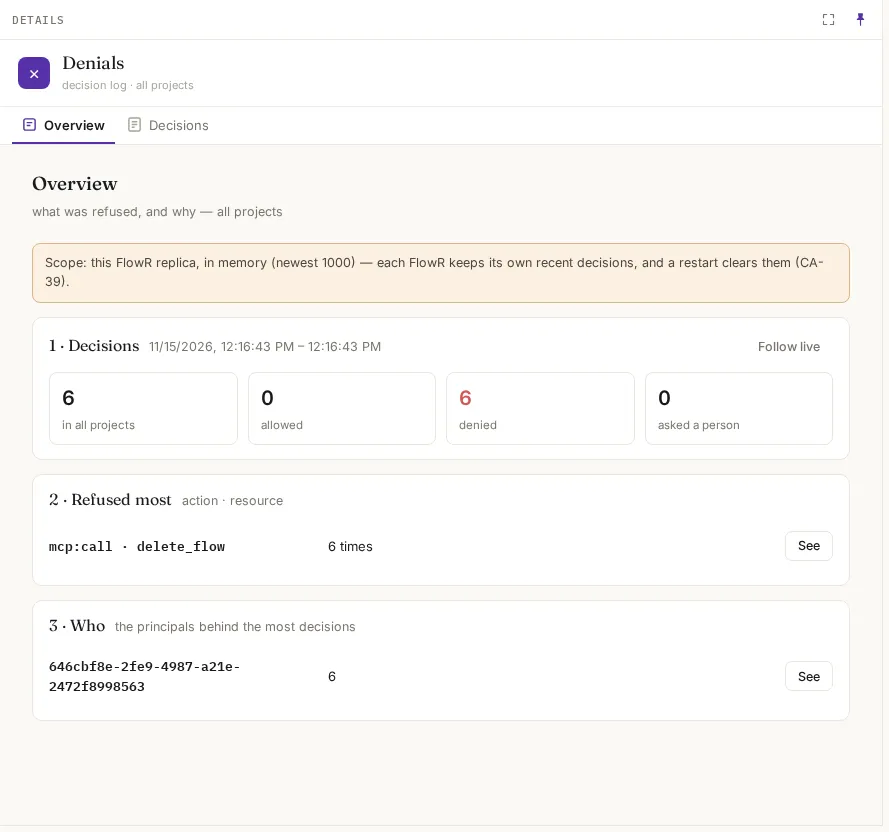
| Section | What it shows |
|---|---|
| Decisions | The time span covered; how many in total, allowed, denied and asked. Follow live keeps adding new ones |
| Refused most | The action and resource refused most often, with See to list them |
| Who | The principals behind the most decisions |
Decisions
Section titled “Decisions”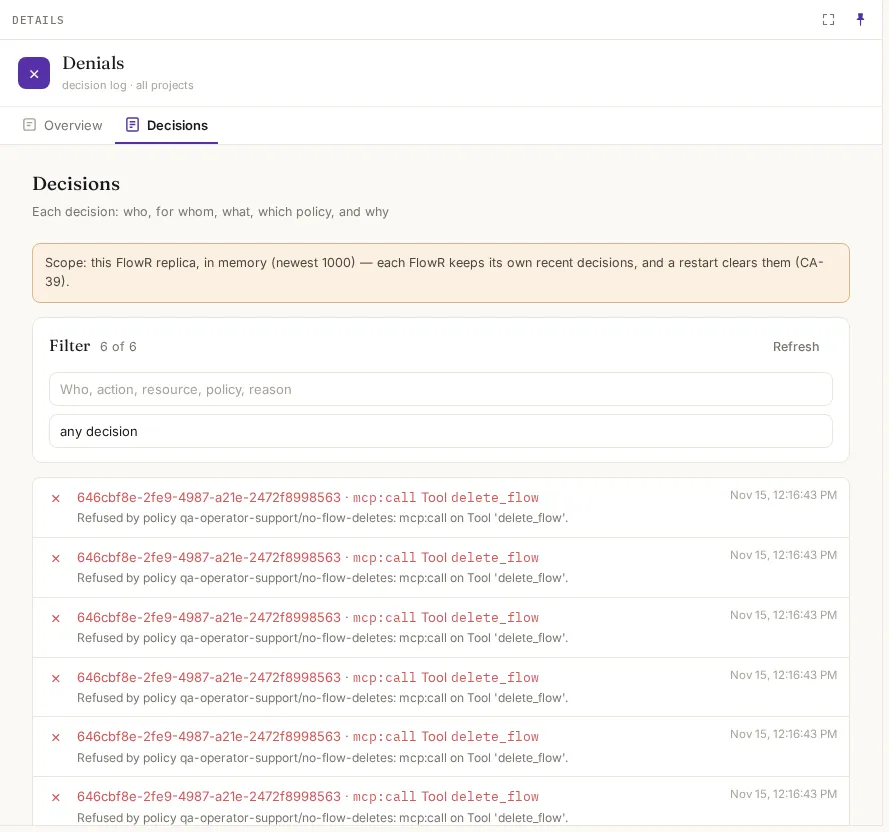
Each line: allowed (✓), denied (✕) or asked; who · the action and its resource; the reason, naming the policy; and when. Filter by text or by kind (any decision, allowed, denied, asked).
| Field | Example |
|---|---|
| Who | the person’s id, and the agent if one acted for them |
| Action and resource | mcp:call · Tool delete_flow |
| Reason | Refused by policy qa-operator-support/no-flow-deletes: mcp:call on Tool 'delete_flow'. |
When a SuperAdmin used Act as, the line also shows acted by with the SuperAdmin’s name.
Finding why something was refused
Section titled “Finding why something was refused”- Pick Denials, and the project in the top bar.
- Filter by the resource or the person, e.g.
delete_flow. - The reason names the policy. Open it in Security, and use its Test tab to check a change before saving it.
An agent’s own Audit tab shows the decisions about that agent.