Resources
Open it: Resources · under Agents in the console menu.
A resource is a connection to something outside A3T: a model, an MCP tool server, a database, a secret. You set it up once, in a project, and agents and flows use it by its name, <project>/<name>. Its address, keys and options live in one place, so changing them changes every agent and flow that uses it.
Items groups resources by kind:
| Kind | Types | Used for |
|---|---|---|
| LLM | openai (any OpenAI-style API), anthropic, ollama, groq, llm | An agent’s Model; call: llm in a flow |
| MCP Servers | mcp | An agent’s Tools; call: mcp in a flow |
| Databases | adb, lancedb, postgres, mysql, redis, qdrant | Memory (ADB), A3T’s own data, a flow’s queries |
| Secrets | secret, credential | Keys and passwords other resources read, never shown again once saved |
| Variables | variable | A named value flows read |
| Functions, Scripts | function, script | Code a flow calls |
| Flows | — | The flows in the project, listed here too |
Platform resources (the shared models, ADB, A3T’s own databases) are in the a3t project. Everyone can use them; only a SuperAdmin can change them. Turn on show platform to list them.
A resource’s tabs
Section titled “A resource’s tabs”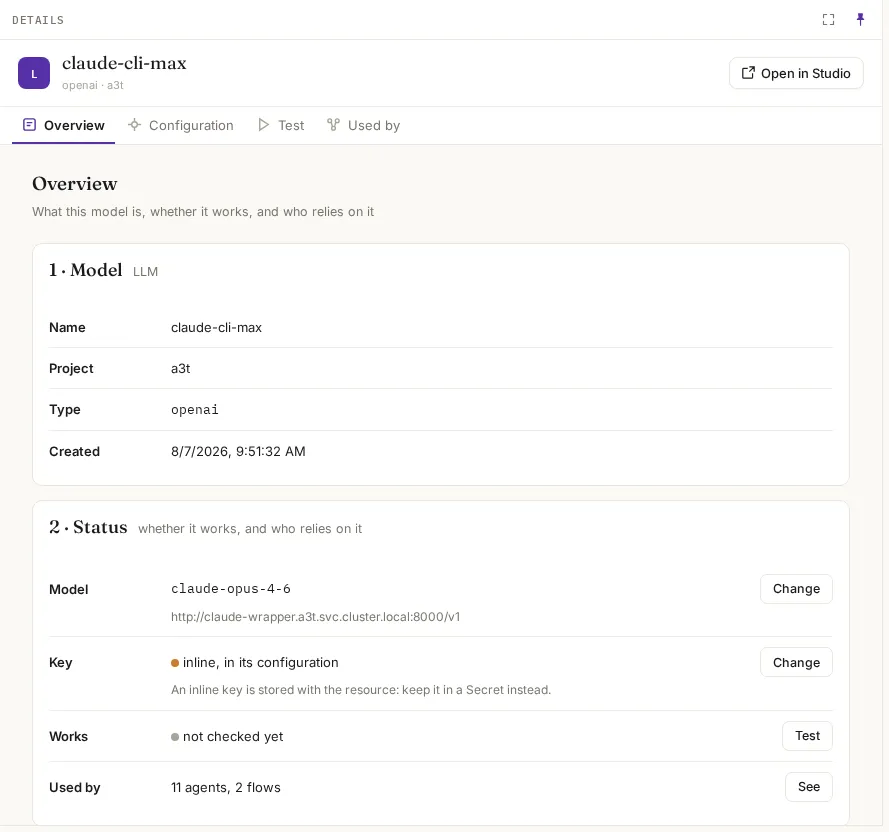
| Tab | What it shows |
|---|---|
| Overview | What it is (name, project, type, created); Status: its main settings, where its key is kept, whether it works, and what relies on it; Delete |
| Configuration | Its settings, as a form (or Show as JSON). Save applies them to the next call |
| Test | Calls it, as you, and shows the answer, the time it took, or the service’s own error |
| Used by | Every agent, flow, resource, canvas and trigger that names it |
Configuration, by kind
Section titled “Configuration, by kind”| Field | What it means | Example |
|---|---|---|
| API URL | The base URL requests are sent to | https://api.openai.com/v1 |
| Model | The model name the provider expects | gpt-4o-mini |
| Provider | Its API style: openai for any OpenAI-compatible API, or anthropic | openai |
| Key | From a secret: the name of a Secret resource holding it (recommended). Or inline, stored with the resource | acme-support/openai-key |
| Defaults | Used when a call does not say: max tokens, temperature | 1024 |
MCP server
Section titled “MCP server”| Setting | What it means | Example |
|---|---|---|
| URL | The server’s address | https://tickets.acme.com/mcp |
| Transport | How to talk to it: sse or websocket | sse |
| Auth | Empty for none, or oauth2 | oauth2 |
| OAuth2 | Its client id and secret (the secret masked once saved) | — |
| Setting | What it means |
|---|---|
| URL | Its HTTP address (AQL, and MCP at /mcp/sse). Several nodes, comma-separated, are tried in turn, so calls always reach the leader. call: adb uses Arrow Flight on the same host, port 3001 |
| flight_url | Only if Arrow Flight is somewhere else |
Secret
Section titled “Secret”One value. Once saved it is shown masked, never in full again; resources and flows that need it name the secret instead of copying it.
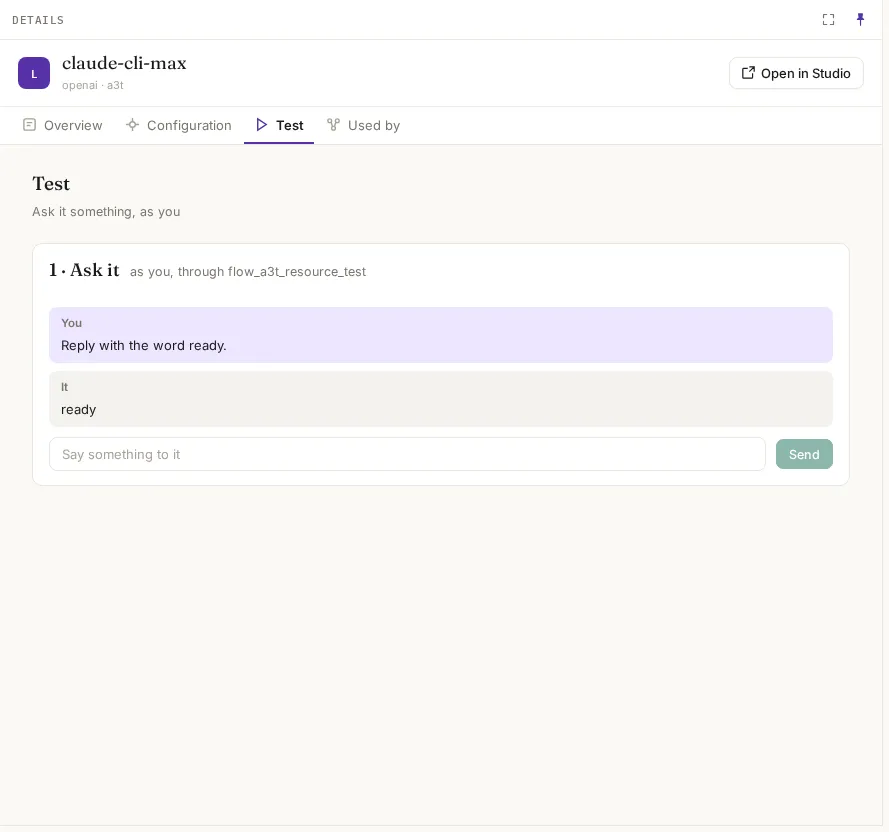
| Kind | What Test does |
|---|---|
| LLM | A chat: what you type goes to the model, as you. Shows the answer and how long it took |
| MCP server | List tools, then call any tool with arguments you give |
| Database | List its tables, or run a query |
| ADB | Run one AQL statement |
A wrong address, model or key shows the service’s own error, for example LanceDB connect error … Permission denied (os error 13) or error sending request for url (http://localhost:11434/…).
Used by, and deleting
Section titled “Used by, and deleting”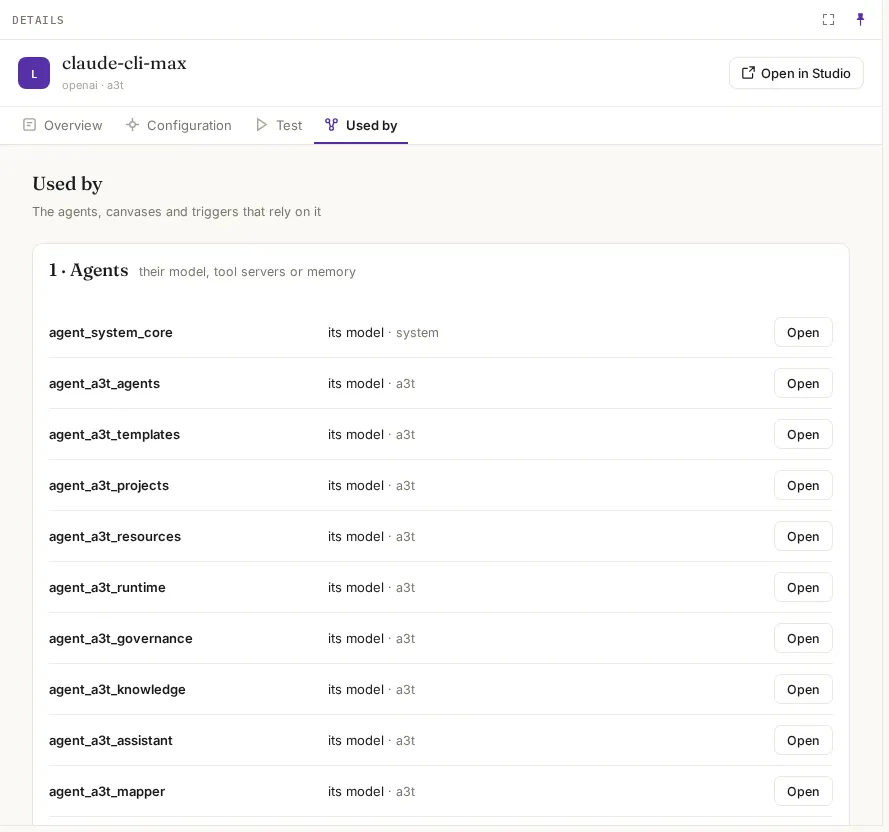
Used by lists what names the resource, each with an Open link:
- Agents: as their model, a tool server or their memory.
- Flows: whose steps name it.
- Resources: whose settings name it, such as a secret an MCP server reads.
- Canvases: deployments that depend on it.
- Triggers: that read an ADB topic through it.
Delete says what relies on it before you confirm. After it is gone, each of them fails with a message that names it, for example this agent’s model resource ‘acme-support/gpt’ does not exist (it was deleted or renamed); pick another model in the agent’s Settings.
New resource
Section titled “New resource”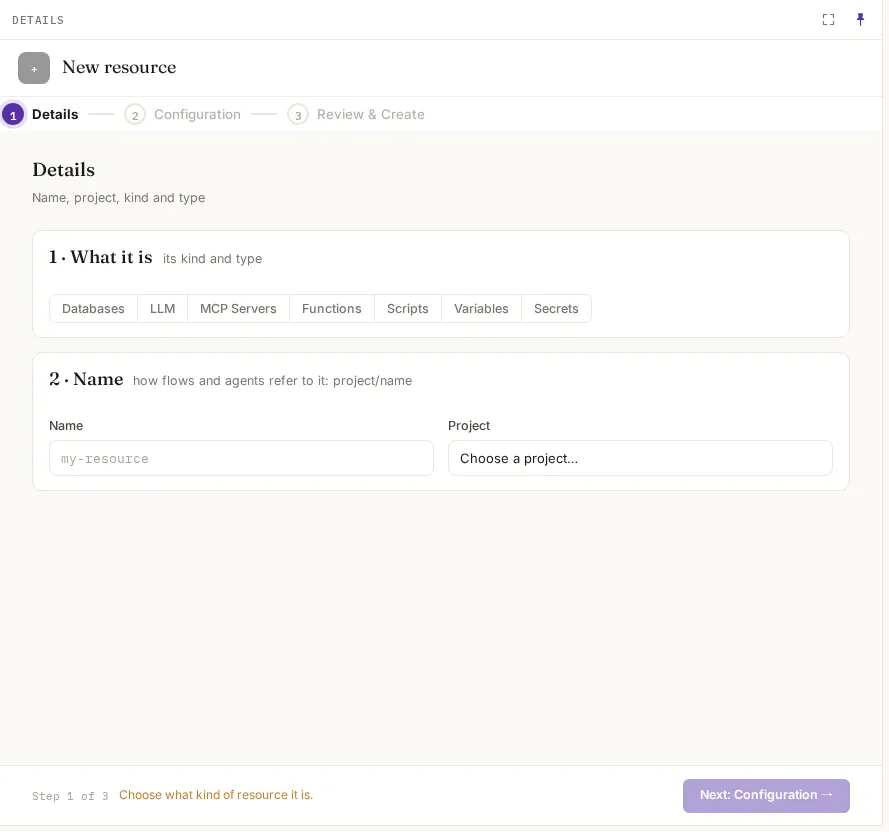
New resource takes three steps:
- Details: its kind, then its name and project. Flows and agents will call it
<project>/<name>. - Configuration: the settings for that kind, as above.
- Review & Create.
Example
Section titled “Example”Give the help-desk agent a ticketing tool server:
- Create a Secret
qa-operator-support/tickets-tokenholding the ticketing system’s OAuth client secret. - Create an MCP server
qa-operator-support/ticketswith URLhttps://tickets.acme.com/mcp, transportsse, and authoauth2with the client id and the secret. - On its Test tab, List tools: it should list the ticketing tools, such as
get_orderandget_refund. - On the agent, Build › Model & tools, tick
ticketsunder Tools and save. The next message can look orders up; each tool call is checked against policy.