Projects
Open it: Projects · second item in the console menu.
A project holds a team’s work: its agents, templates, flows, triggers, resources and canvases. Everything in A3T belongs to exactly one project, and the project decides who can see it and who can change it. A project is either personal (yours) or an organisation’s.
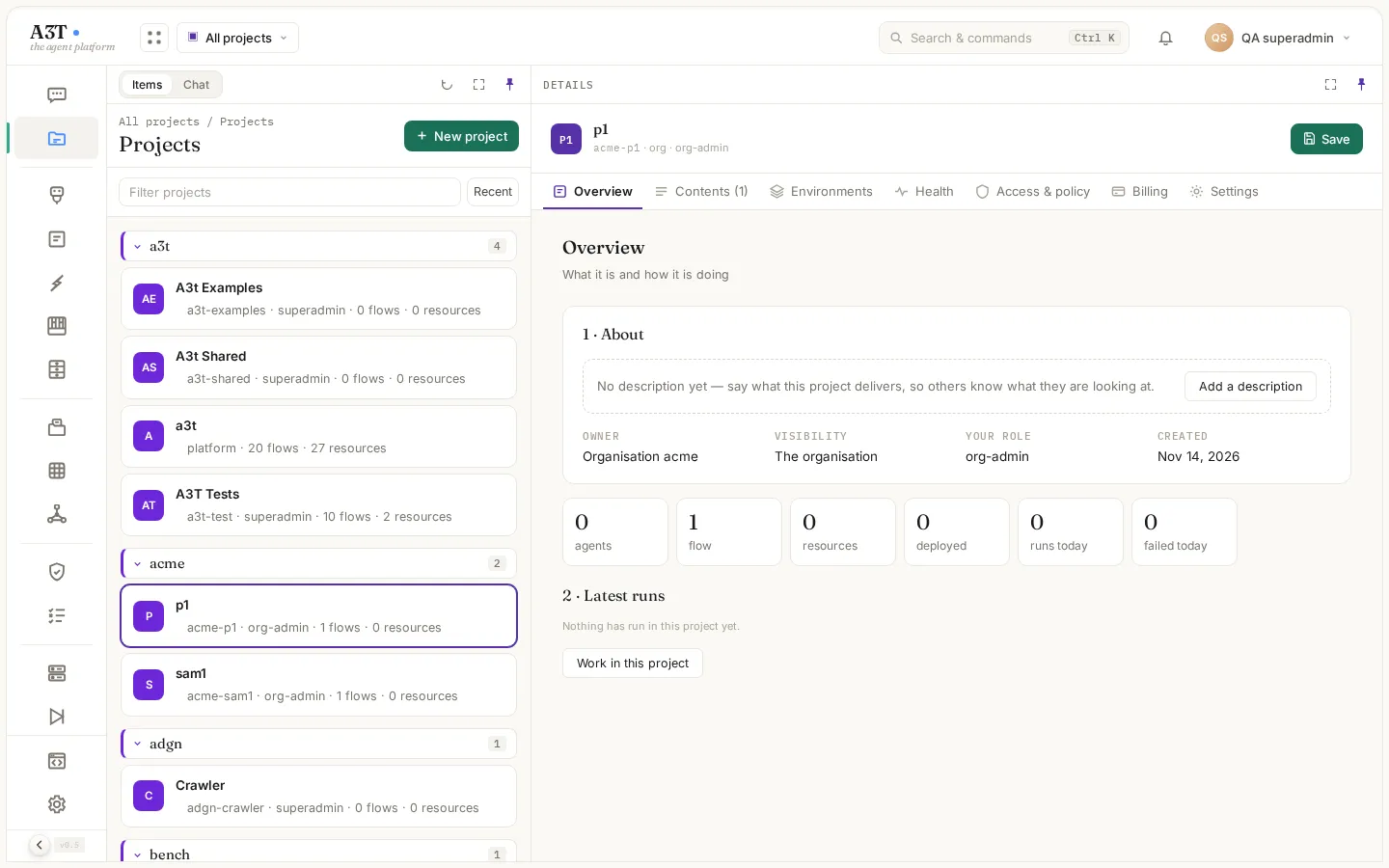
Items lists your projects grouped by owner: your handle first, then your organisations, then the platform’s. The project picker in the top bar narrows every app to one project; the address then starts with /p/<project>/, so a link opens in the same project for whoever follows it.
Personal and organisation projects
Section titled “Personal and organisation projects”| Personal project | Organisation project | |
|---|---|---|
| Owner | You, by your handle | An organisation you are a member of |
| Namespace | <your-handle>-<name>, e.g. qa-operator-support | <org>-<name>, e.g. acme-support |
| Who can create it | Anyone with the Operator role or higher | An admin or member of that organisation |
| Who can see it | You and the members you add | Its members, the organisation’s admins and security admins, and every member of the organisation unless it is private |
| Who can change it | You, and members with the owner or developer role | Its owners and developers, and the organisation’s admins |
| Private | Only you and its members | Only its members and the organisation’s admins and security admins |
Two projects belong to the platform: a3t (A3T’s own agents, flows and shared resources) and system (the core agent and A3T’s internals). Everyone can read them and clone from them; only a SuperAdmin can change them.
Members and roles
Section titled “Members and roles”Add people on Access & policy › People. Type a name or email: everyone who can sign in is listed, including people who sign in through their organisation’s own identity provider (marked SSO).
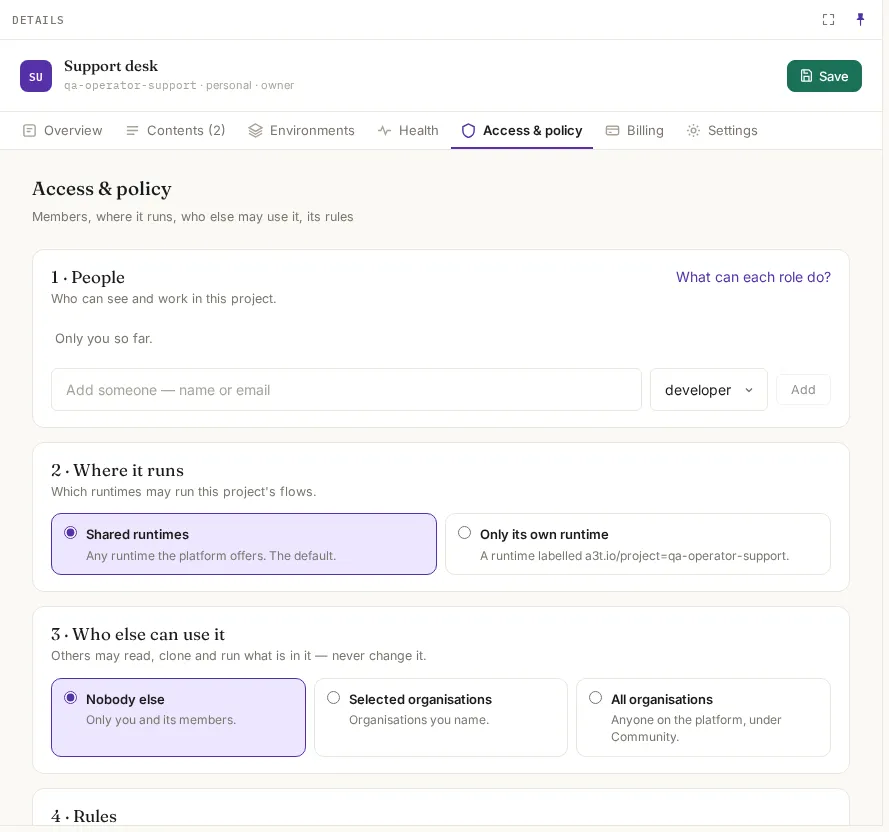
| Project role | What they can do |
|---|---|
| owner | Everything, including members, rules, moving and deleting the project |
| developer | Build and run: agents, templates, flows, triggers, resources, canvases |
| operator | Deploy and run what is there; no authoring |
| viewer | Read only |
A person’s account role is the ceiling. Someone whose account is a Viewer stays read-only in every project, even if a project makes them an owner. Removing a member takes effect on their next request.
Sharing with other organisations
Section titled “Sharing with other organisations”Access & policy › Who else can use it lets people outside the project read, clone and run what is in it, never change it.
| Choice | Who gets it | How they see it |
|---|---|---|
| Nobody else (default) | Only the project’s own people | — |
| Selected organisations | The organisations you name | As community items in their lists |
| All organisations | Everyone on the platform | As community items |
The platform’s own projects share differently: what a3t shares appears as shared (to use or wire in) or training (examples to learn from and clone), and system shares only with a3t.
The project’s tabs
Section titled “The project’s tabs”| Tab | What it shows |
|---|---|
| Overview | Its description, owner, visibility, your role; counts of agents, flows, resources and deployments; runs today and failures; the latest runs |
| Contents | Every agent, flow, template, resource, trigger and canvas in it, each with a link |
| Environments | What runs where, and each environment’s variables (dev, staging, prod) |
| Health | Its deployments and the runs that failed in the last 24 hours |
| Access & policy | People, where it runs, who else can use it, its rules |
| Billing | Who pays and its budget. Sample data until billing is connected |
| Settings | Display name, description, private; move to an organisation; delete |
Environments and variables
Section titled “Environments and variables”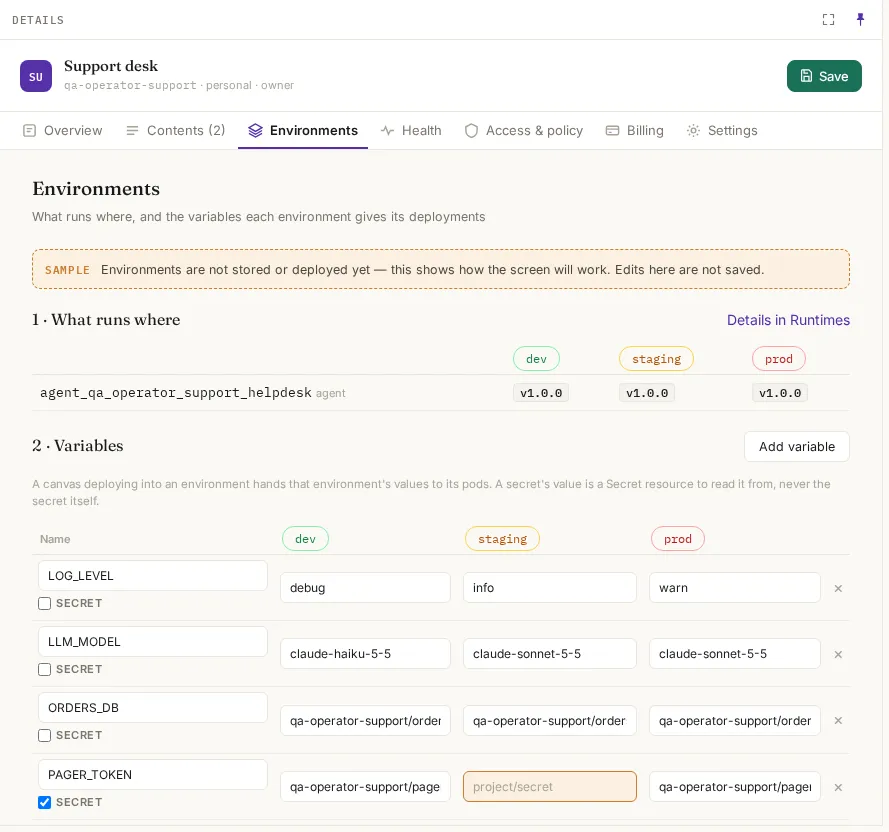
A variable has a value per environment. When a canvas deploys into an environment, its pods get that environment’s values. A secret variable names a Secret resource to read the value from; the secret itself is never stored in the project.
Where it runs
Section titled “Where it runs”| Choice | Meaning |
|---|---|
| Shared runtimes (default) | Any runtime the platform offers |
| Only its own runtime | Only a runtime labelled a3t.io/project=<namespace> (an org project’s choice: a3t.io/org=<org>) |
The three ready-made rules (only owners deploy to prod; destructive tools need an owner; agents remember per user) are saved with the project but not enforced yet. To enforce a rule today, a security admin writes a Cedar policy for the project in Security.
Move and delete
Section titled “Move and delete”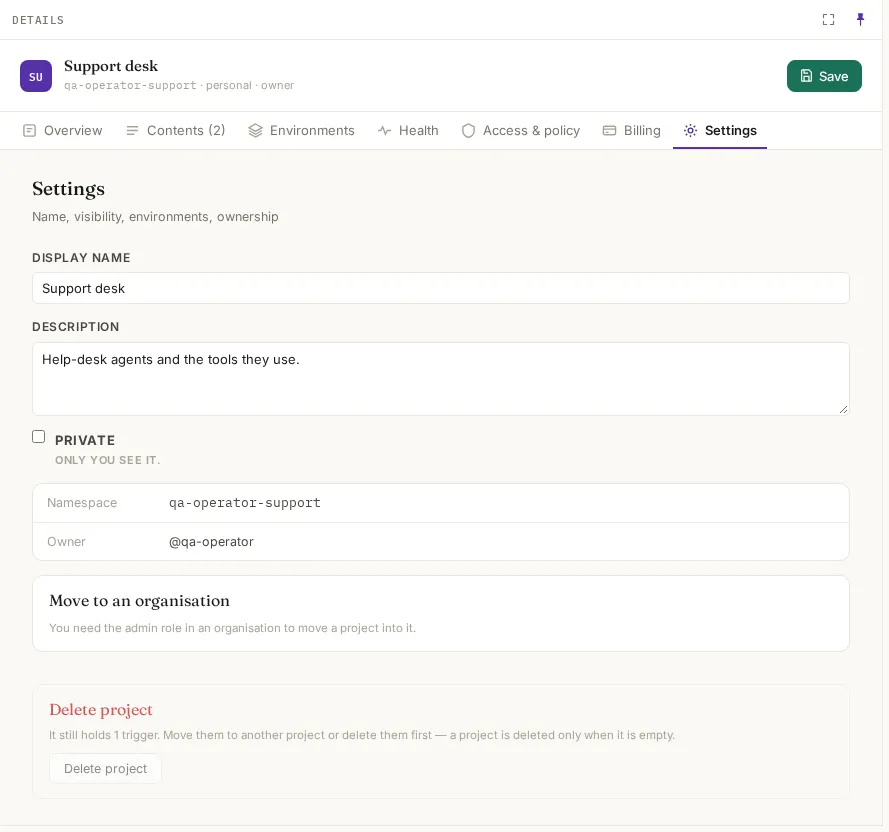
| Action | Who | What happens |
|---|---|---|
| Move to an organisation | The owner of a personal project, who is an admin of the target organisation | The namespace becomes <org>-<name>. Its flows, resources and triggers move with it, and references inside the project are rewritten. Preview lists anything outside the project that refers to it and would break. Run history stays under the old name |
| Change organisation | — | Not available yet: an organisation’s project can’t move to another organisation |
| Delete project | Its owner, or an admin of its organisation | Only when it is empty. Move or delete its agents, flows, resources and triggers first. Removes the project, its members and its rules; run history stays |
Example
Section titled “Example”The Support desk team at Acme starts in a personal project and moves to the organisation when it goes live:
- Ann makes the personal project
ann-supportand builds her help-desk agent there. - She adds Sam as developer on Access & policy › People. Sam signs in with Acme’s own identity provider, so he is listed as SSO.
- When it is ready, Ann opens Settings › Move to an organisation, picks
acme, checks Preview, and moves it. It is nowacme-support; Acme’s admins can manage it and every Acme member can read it. - To let Globex try the agent without changing it, Ann sets Who else can use it to Selected organisations: globex.